Mobile Demo Tool (MGravitation)
Acquisition
MGravitation is open source: https://github.com/Ameba-AIoT/rmesh-mgravitation
Test Environment
The phone connects to the AP via Wi‑Fi, and MGravitation runs on the phone, as shown below:
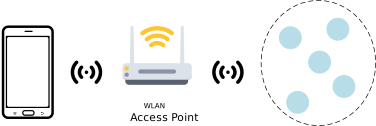
MGravitation Test Environment
Topology Display
MGravitation can display all R‑Mesh nodes connected to the AP and their topology, and promptly reflect topology changes.
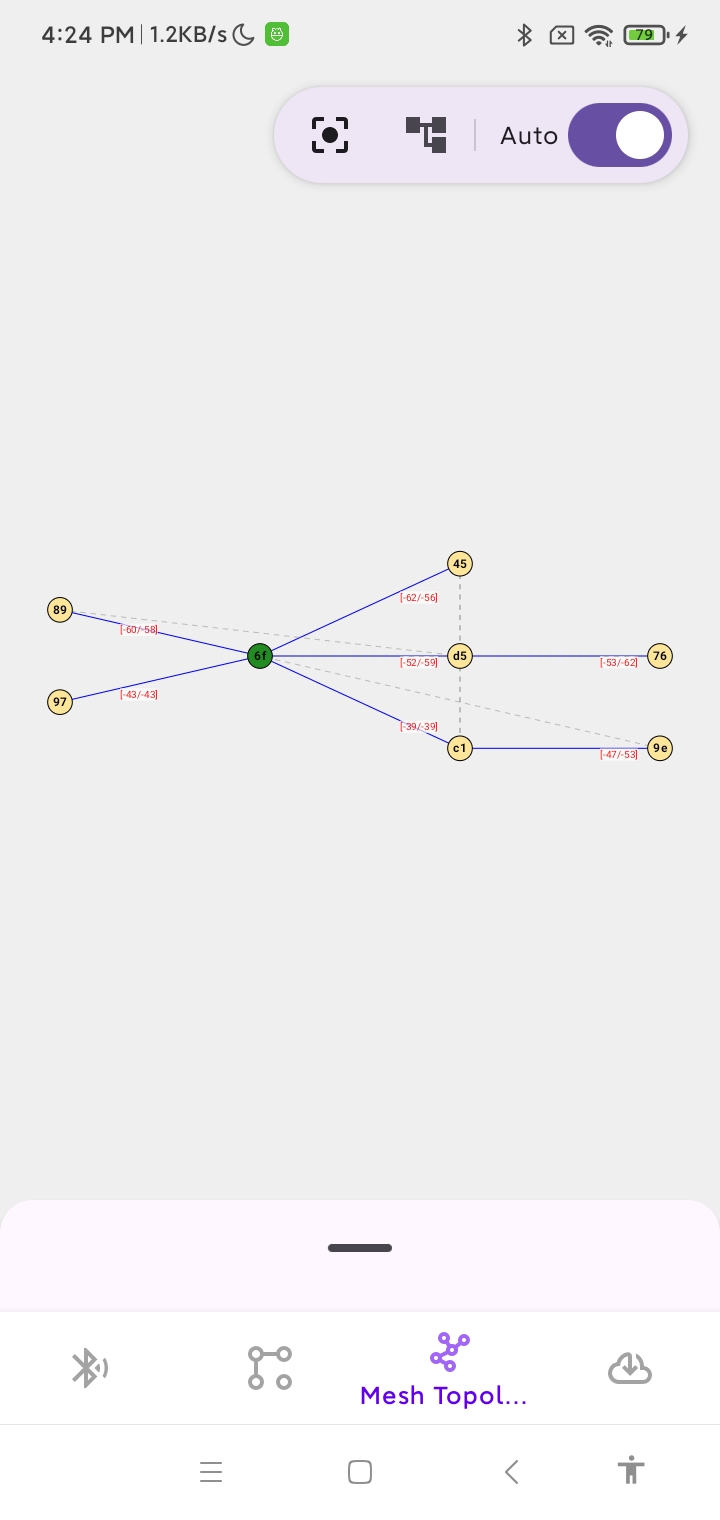
MGravitation Topology Interface
Each node shows MAC_Addr. For example: C1 represents a MAC address of XX:XX:XX:XX:XX:0xC1. The two red numbers shown on the line between nodes indicate the current father node’s score and the optimal candidate node’s score; these scores are computed based on signal strength.
Communication between MGravitation and R‑Mesh nodes is carried out via sockets (therefore each R‑Mesh node needs to enable Socket). Nodes periodically send their IP addresses, father node MAC addresses, and other information via sockets to the phone hosting MGravitation. MGravitation parses these data and displays the real‑time topology.
Tap a node to display its basic information:
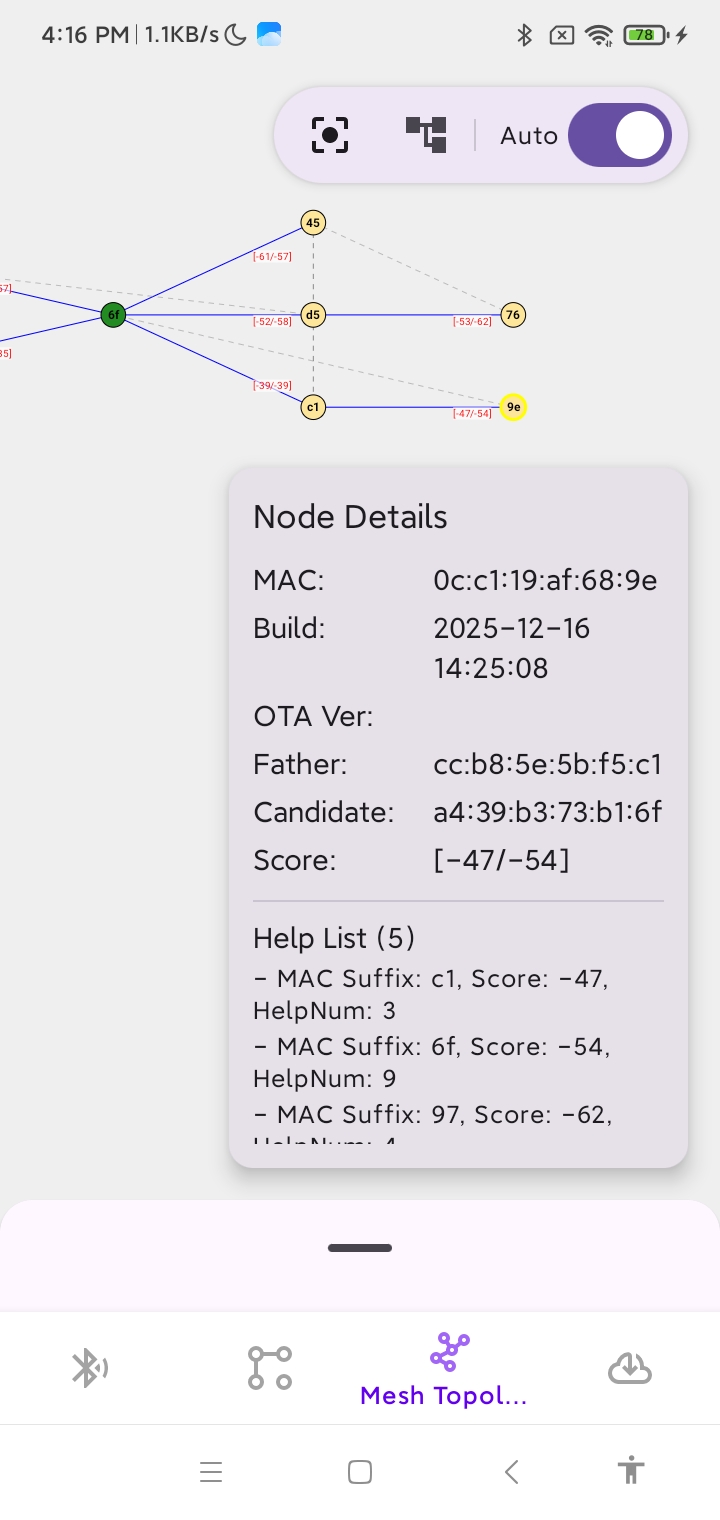
MGravitation Topology Interface Showing Node Information
Swipe up the black indicator bar below the topology to show the list of all nodes. Tap a node to expand its basic information:
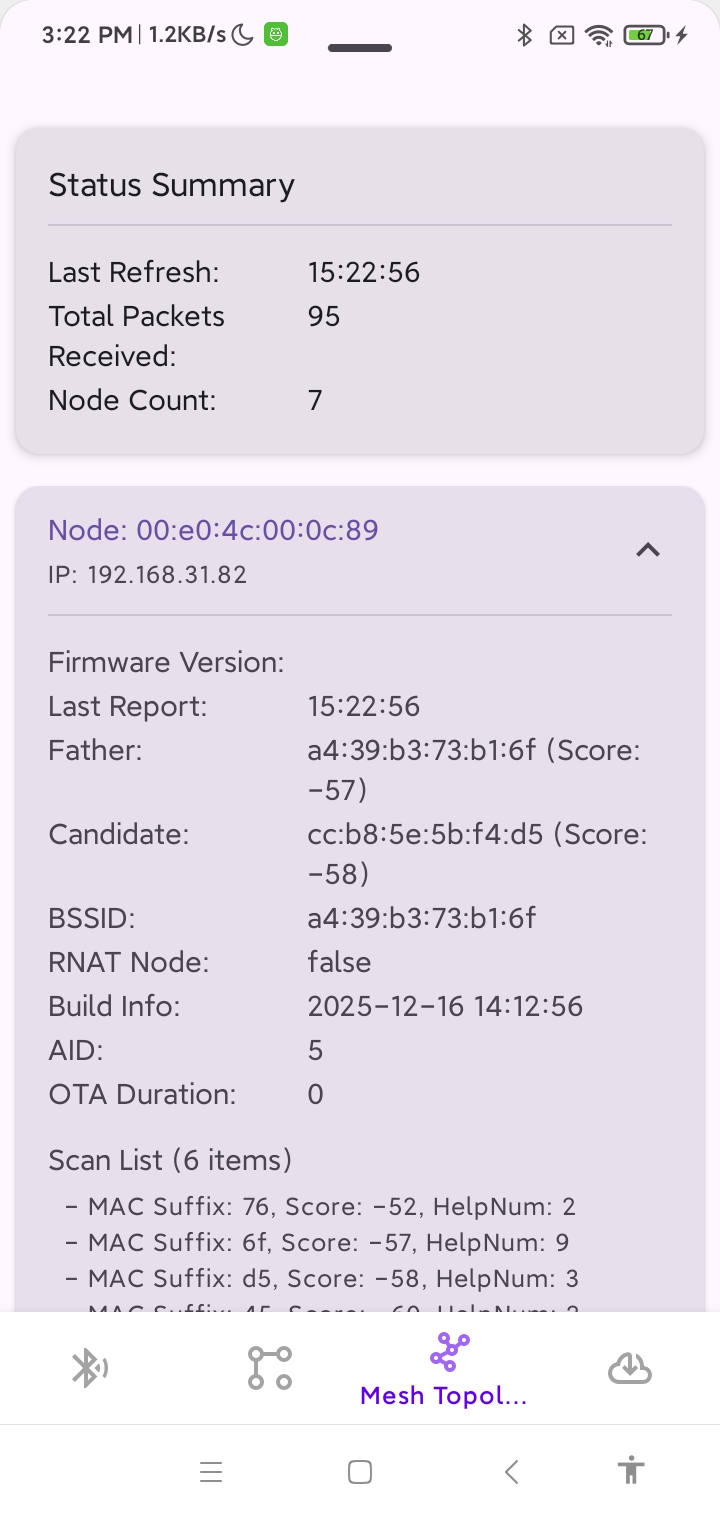
MGravitation Node List Interface Showing Node Information
The meanings of each field in the node information are as follows:
Field |
Meaning |
|---|---|
Father |
MAC address of the father node |
Candidate |
MAC address of the candidate father node (the optimal father node other than the current father) |
Score |
The score assigned to nearby scanned nodes, calculated based on signal strength, used to select the optimal father node |
RNAT Node |
Whether it is an R‑NAT node |
Build / Build Info |
Build time of the currently running firmware |
AID |
Association ID allocated by the AP |
Help List / Scan List |
List of nearby scanned nodes; each entry includes: the last byte of that node’s MAC address, that node’s score, and the remaining number of child nodes that node can accept |
Users can refer to this design to redevelop their own applications for obtaining and displaying the topology of an R‑Mesh network.
Assisted Provisioning
MGravitation can be used for assisted provisioning. Usage details can be found at: Provisioning Example Demonstration

