SDK Download
Overview
The Arduino SDK for Realtek Ameba-IoT SoCs is hosted on GitHub for easy access and download.
The Arduino SDK includes board definitions, drivers, a rich set of library files and example code, covering core functional modules such as Wi-Fi and Bluetooth (BT), and serves as the foundation for Ameba Arduino development.
Installation
Open Arduino IDE, click , and paste the corresponding URL into the Additional boards manager URLs field according to your board:
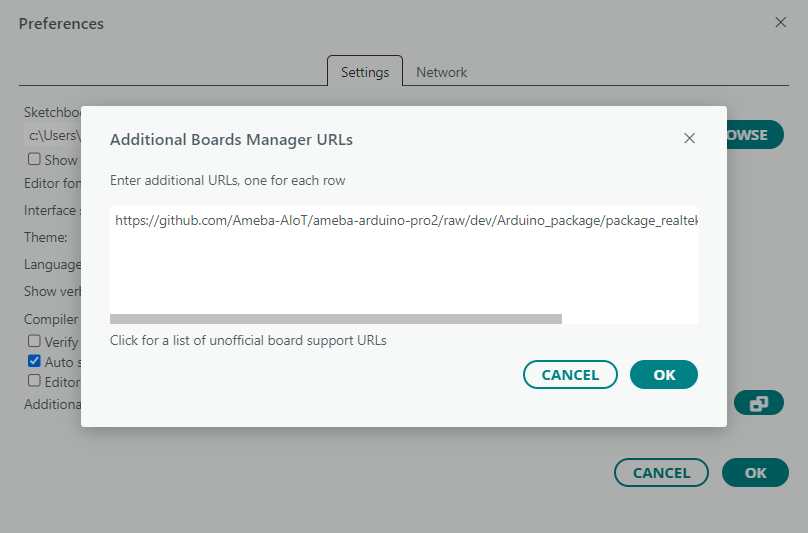
main branch (stable release):
https://github.com/Ameba-AIoT/ameba-arduino-pro2/raw/main/Arduino_package/package_realtek_amebapro2_index.json
dev branch (early release):
https://github.com/Ameba-AIoT/ameba-arduino-pro2/raw/dev/Arduino_package/package_realtek_amebapro2_early_index.json
If GitHub access is restricted, use the following fallback URL:
https://ameba-doc-arduino-sdk-json.readthedocs-hosted.com/en/latest/_static/package_realtek_amebapro2_early_index_rtd.json
Go to or click the in the sidebar. In the search box, enter
realtek, find the board package for your board, select the desired version from the dropdown menu, and click Install, as shown below. Arduino IDE will start downloading and installing the required files.
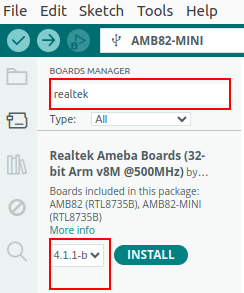
Board package name: Realtek Ameba Boards (32-bit Arm v8M @500MHz) by Realtek
After installation is complete, the board package entry in the Boards Manager will show the installed version number, as shown below:
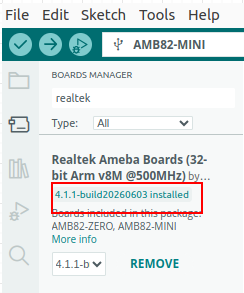
Select Board
After completing the SDK installation, select the board via the menu, as shown below:
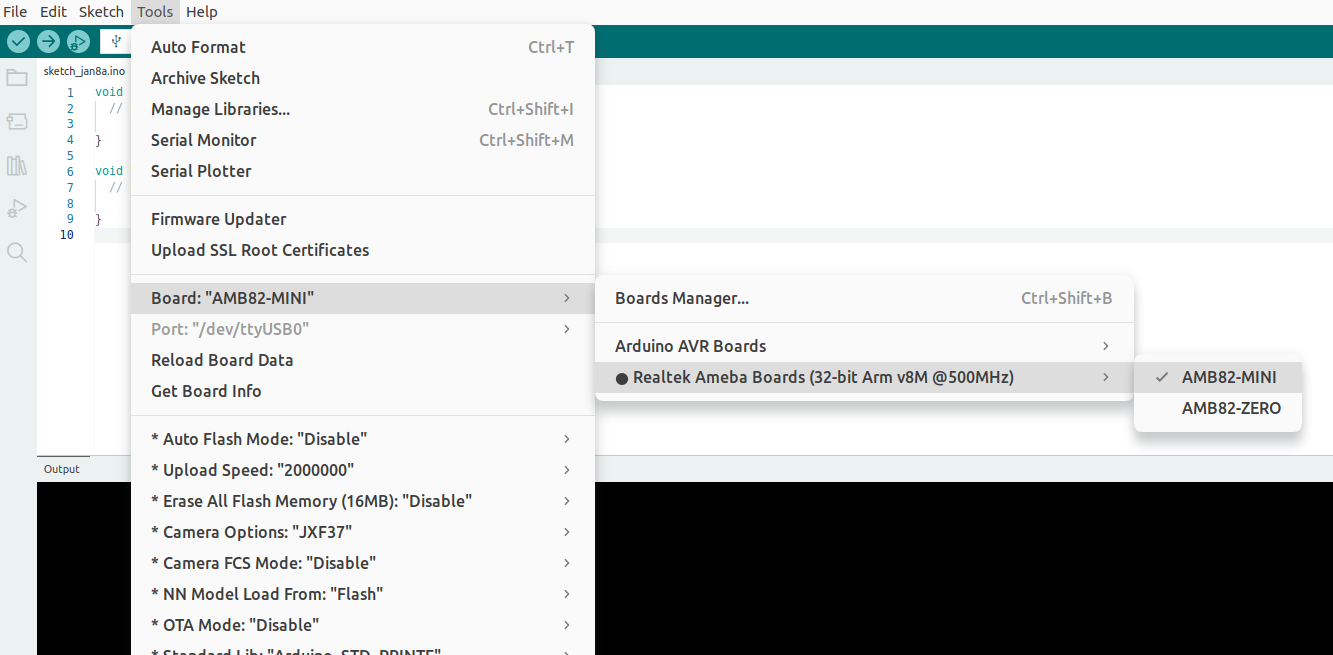
Navigate to: