SDK Configuration
Microsoft Azure IoT examples are based on Azure Embedded C SDK and Ameba MQTT stack.
To bring up Azure IoT applications, there are a few steps you need to take to include Azure IoT examples. We support a GCC environment to build the Azure Project.
To enable Azure example, please perform the below actions.
GCC Settings
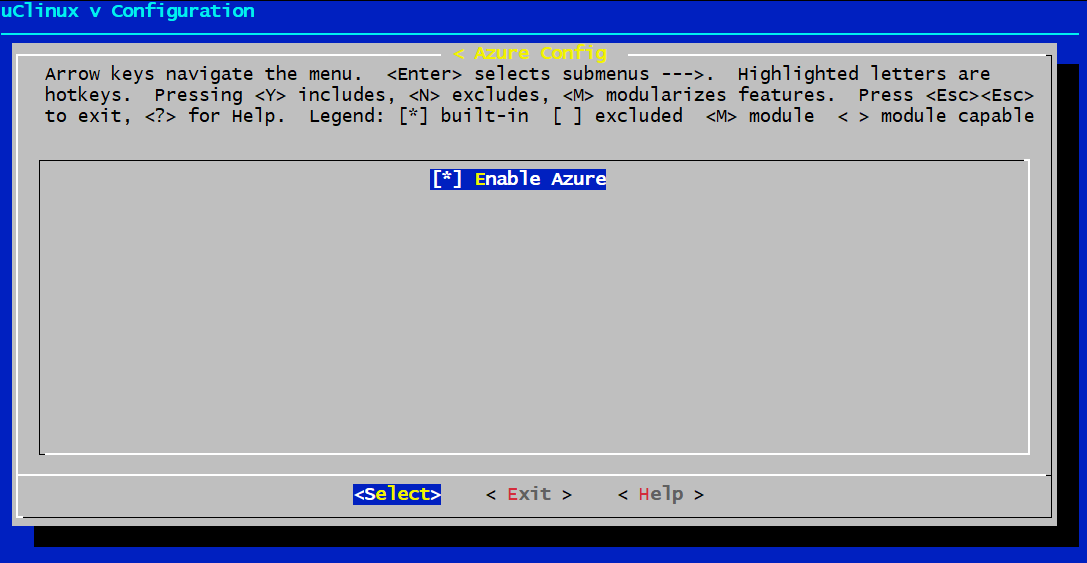
Enable Azure Examples
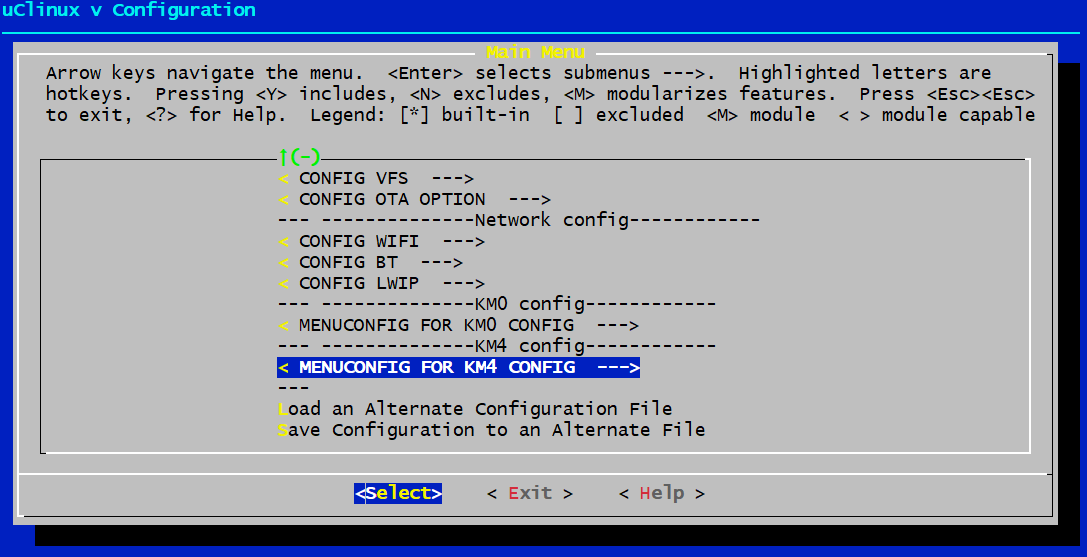
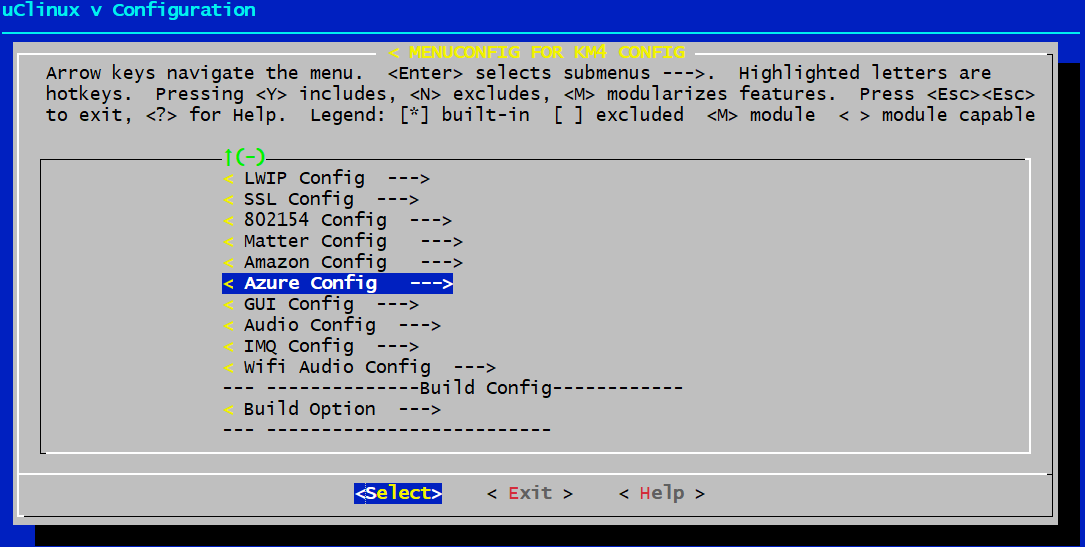
Use Make Menuconfig → KM4 Config → Azure Config to enable the Azure example.
Modify MbedTLS Configuration
If you are using X509 certificate encrypted with EC cryptography, please
enable the following defines in mbedtls/config_rsa.h.
(Default use MbedTLS-2.16.9)
MBEDTLS_SSL_CLI_C
MBEDTLS_ECP_DP_SECP384R1_ENABLED
MBEDTLS_KEY_EXCHANGE_ECDHE_ECDSA_ENABLED
MBEDTLS_ASN1_WRITE_C
MBEDTLS_ECDH_C
MBEDTLS_ECDSA_C
MBEDTLS_ECP_C
Select an Example to Run
Select an example in example_azure_iot_entry.h and configure your
own settings in the selected example. Can only select one example to run
at a time. Please refer to Chapter 4 and Chapter 5.
Next, build images and flash your image to the EVB. When the example starts running, use an AT command to connect to Wi-Fi manually.
Enter the following command step by step on the console. After Wi-Fi is connected, the example will proceed.
AT+WLCONN=ssid,[your AP ssid],pw,[your AP passphrase]
Then check the example on the terminal and interact with it.