Audio Classification
Materials
AMB82-mini x 1
Example
In this example, we will be using development board to detect 521 different kinds of audio such as speech, animal sounds, alarms and many more.
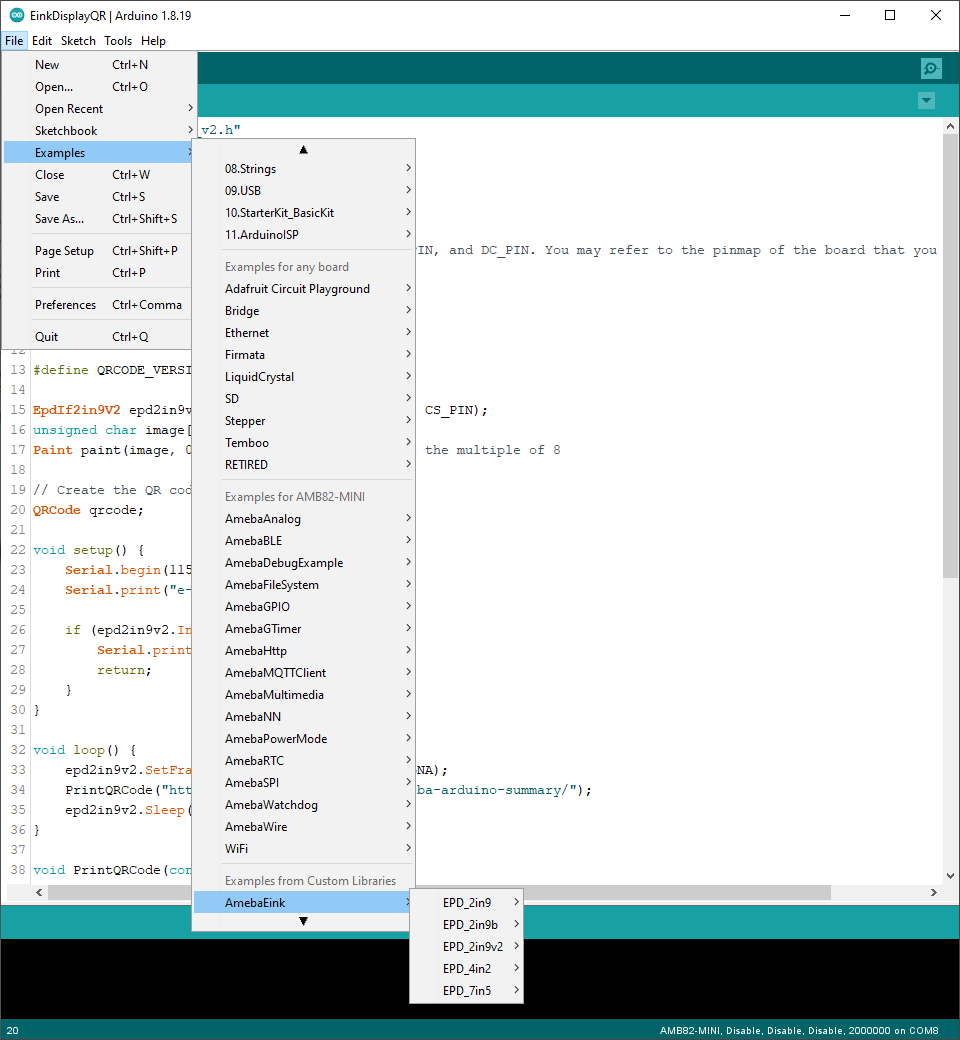
Open Audio Classification example in File -> Examples -> AmebaNN -> AudioClassification
Select Neural Network (NN) task and models using modelSelect() function highlighted in yellow. This function takes 5 arguments: Neural Network task, Object Detection model, Face Detection model, Face Recognition model and Audio Classification model. Replace with “NA_MODEL” if they are not necessary for your selected Neural Network task. Note that it is mandatory to call modelSelect() function before calling the begin() function.
Valid Neural Network task:
OBJECT_DETECTION,FACE_DETECTION,FACE_RECOGNITION,AUDIO_CLASSIFICATIONValid Object Detection model:
YOLOv3-tiny model:
DEFAULT_YOLOV3TINY,CUSTOMIZED_YOLOV3TINYYOLOv4-tiny model:
DEFAULT_YOLOV4TINY,CUSTOMIZED_YOLOV4TINYYOLOv7-tiny model:
DEFAULT_YOLOV7TINY,CUSTOMIZED_YOLOV7TINY
Valid Face Detection model:
DEFAULT_SCRFD,CUSTOMIZED_SCRFDValid Face Recognition model:
DEFAULT_MOBILEFACENET,CUSTOMIZED_MOBILEFACENETValid Audio Classification model:
DEFAULT_YAMNET,CUSTOMIZED_YAMNET
Choose the customized option (e.g., CUSTOMIZED_YOLOV4TINY/ CUSTOMIZED_SCRFD/ CUSTOMIZED_MOBILEFACENET/ CUSTOMIZED_YAMNET) if you would like to use your own NN model. To learn about the process of converting an AI model, refer to
AI Model Conversion Toolkit
Additionally, refer to
AI Model Deployment Guide
to understand how to install and use the converted model.
Compile the code and upload it to Ameba. After pressing the Reset button, onboard microphone will start to pick up audios.
When no audio is detected, it will be recognised as “Silence” class shown in the Serial Monitor.
When the on-board microphone picks up audios like alarms, it will be identified, and the results will be shown in the Serial monitor.
The default pretrained model can recognise 521 different types of audios
in total. The audio can be found in AudioClassList.h. The index number
also known as the class ID for each audio class is fixed and should not
be changed. To deactivate the recognition of certain audios, set the
filter value to 0. For example, set the filter value to 0 to exclude
detecting speech.