Quick Start
This guide walks you through setting up the Ameba Rust SDK environment and completing your first build, flash, and log verification with the Hello World example.
Prerequisites
Hardware:
Ameba development board (RTL8721F EVB)
USB Type-C cable
Host machine: Linux (Ubuntu 22.04+), Windows 10/11, or macOS (13 Ventura+, Apple Silicon / M-series only); ≥ 10 GB free disk space
Software:
Git 2.0+
VS Code or another code editor
USB-to-serial driver (if not auto-detected by the host OS)
Hardware Connection
Connect the development board to the host machine with a USB Type-C cable. The same connection is used for both firmware flashing and serial log output.
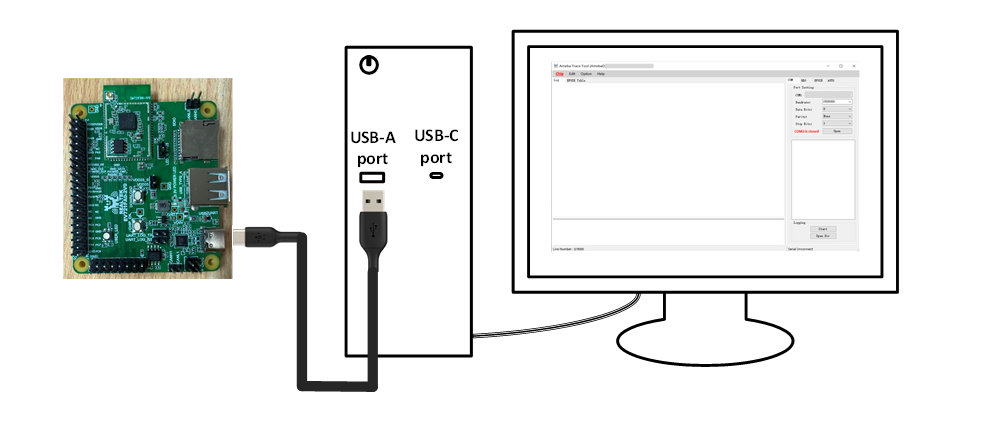
Board detailed user guide: EVB User Guide
SDK Download
A complete development environment requires two repositories.
The Rust SDK contains firmware source code and build tooling.
The ameba-rtos SDK provides prebuilt Bootloader and WiFi core firmware, along with packaging scripts.
Environment Setup
Install the Rust toolchain and configure the ameba-rtos build environment, including rustup, the nightly toolchain, and the ARM bare-metal toolchain.
Build
Once the environment is ready, run the following command from the Rust SDK root to build the Hello World example:
$ cargo xtask build-amebagreen2 --example hello-world --sdk <workdir>/ameba-rtos
On success, the flash image is generated at build/amebagreen2/app.bin.
Flash
Use ImageTool to flash build/amebagreen2/app.bin to the development board.
Log Monitoring
After flashing, connect a serial terminal to the board at 1500000 baud. Reset the board to observe the runtime log.
Expected Hello World output:
main:enter
main:time_driver_ok
Hello World
Hello World
...