Audio Classification
Materials
Supported EVB x 1
Example
In this example, we will be using Ameba Pro2 development board to detect 521 different kinds of audio such as speech, animal sounds, alarms and many more.
Open Audio Classification example in File -> Examples -> AmebaNN -> AudioClassification
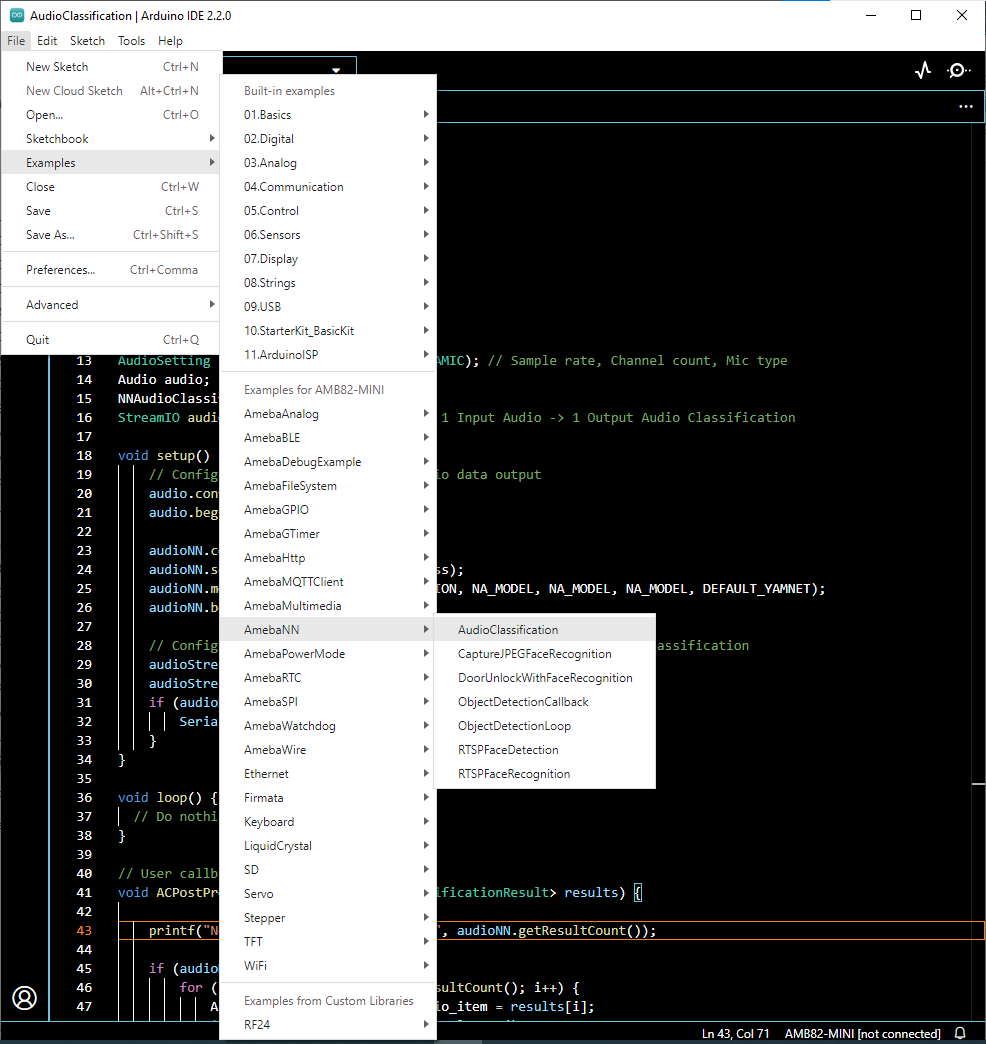
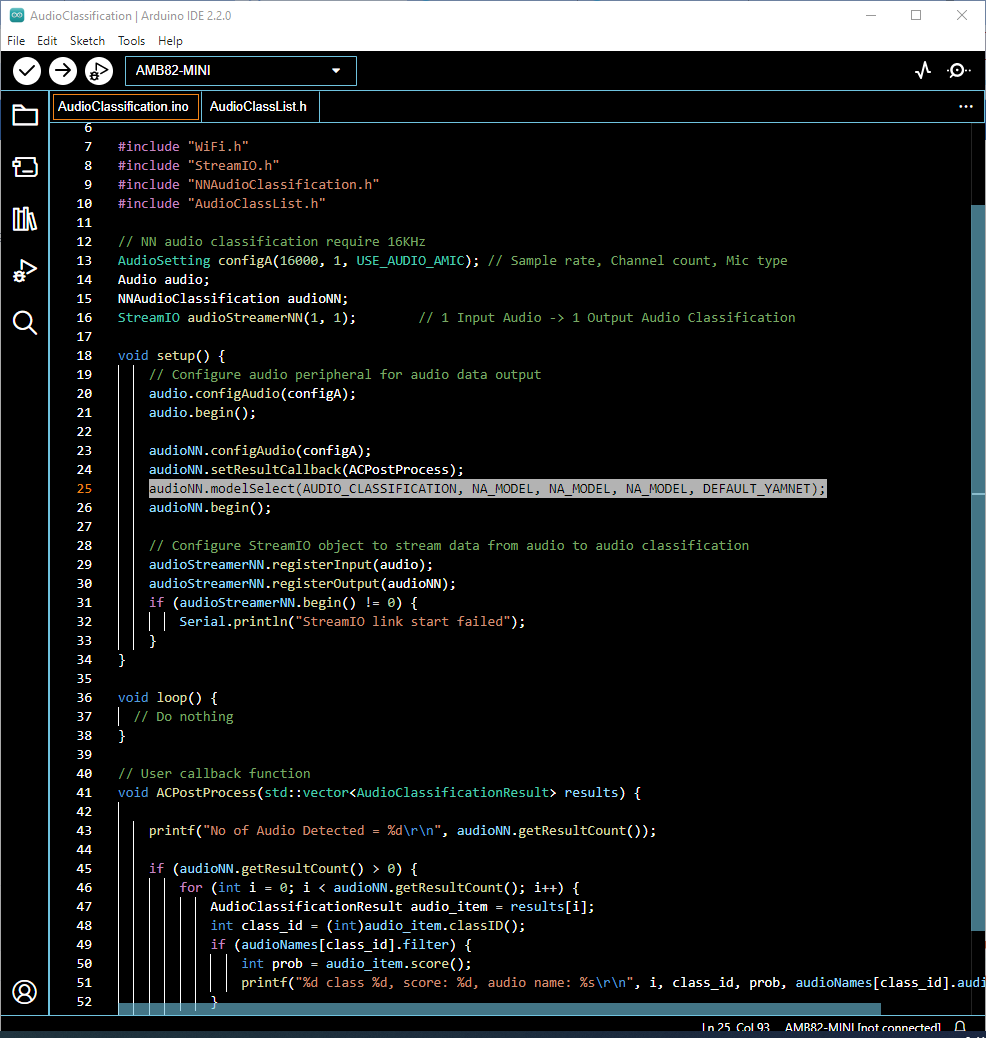
Select Neural Network (NN) task and models using modelSelect() function highlighted. This function takes 5 arguments: Neural Network task, Object Detection model, Face Detection model, Face Recognition model and Audio Classification model. Replace with NA_MODEL if they are not necessary for your selected Neural Network task. Note that it is mandatory to call modelSelect() function before calling the begin() function.
Valid Neural Network task: OBJECT_DETECTION, FACE_DETECTION, FACE_RECOGNITION, AUDIO_CLASSIFICATION
Valid Object Detection model:
YOLOv3 model: DEFAULT_YOLOV3TINY, CUSTOMIZED_YOLOV3TINY
YOLOv4 model: DEFAULT_YOLOV4TINY, CUSTOMIZED_YOLOV4TINY
YOLOv7 model: DEFAULT_YOLOV7TINY, CUSTOMIZED_YOLOV7TINY
Valid Face Detection model: DEFAULT_SCRFD, CUSTOMIZED_SCRFD
Valid Face Recognition model: DEFAULT_MOBILEFACENET, CUSTOMIZED_MOBILEFACENET
Valid Audio Classification model: DEFAULT_YAMNET, CUSTOMIZED_YAMNET
Choose the customized option (e.g., CUSTOMIZED_YOLOV4TINY/ CUSTOMIZED_SCRFD/ CUSTOMIZED_MOBILEFACENET/ CUSTOMIZED_YAMNET) if you would like to use your own NN model. To learn about the process of converting an AI model, refer to https://www.amebaiot.com/en/amebapro2-ai-convert-model/ . Additionally, refer to https://www.amebaiot.com/en/amebapro2-apply-ai-model-docs/ to understand how to install and use the converted model.
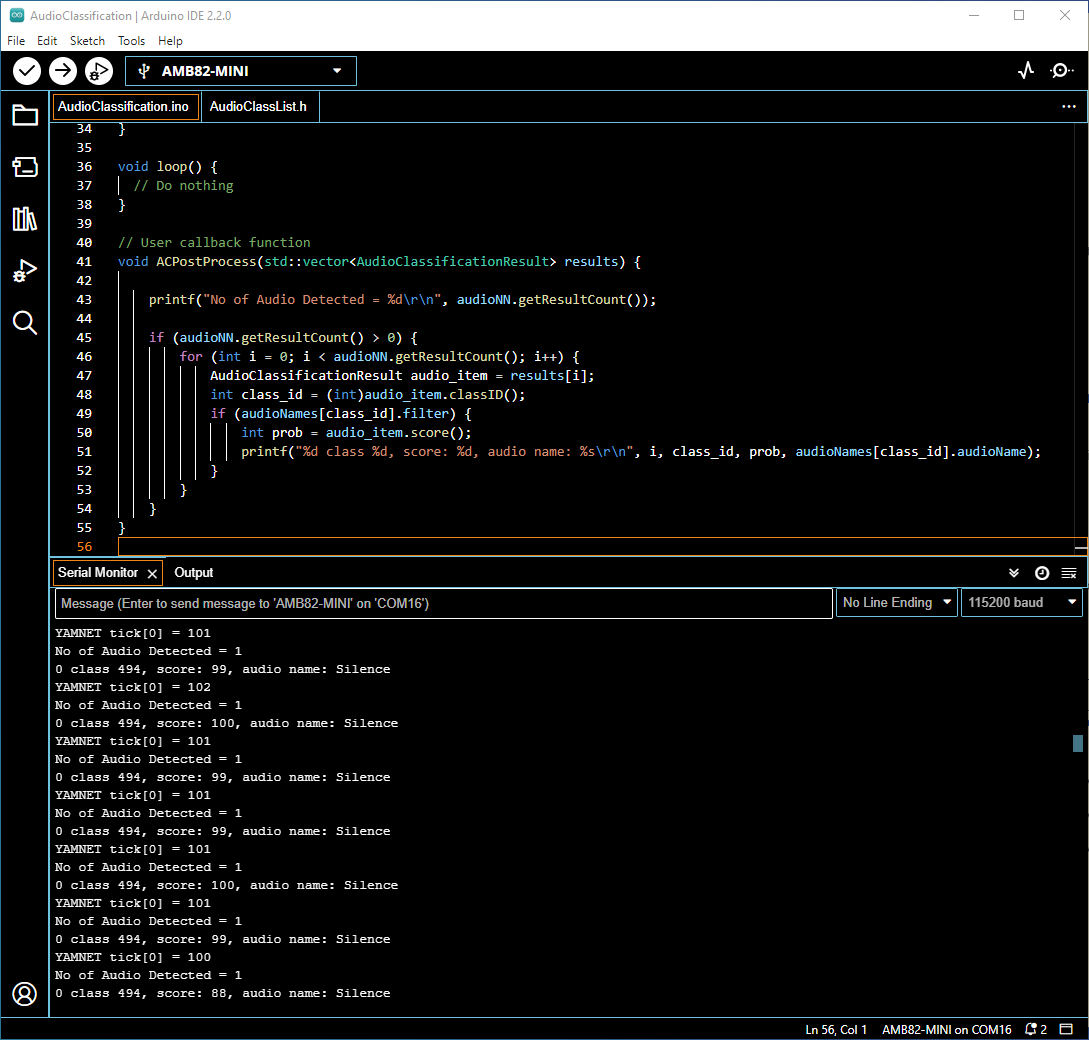
Compile the code and upload it to Ameba. After pressing the Reset button, onboard microphone will start to pick up audios.
When no audio is detected, it will be recognised as Silence class shown in the Serial Monitor.
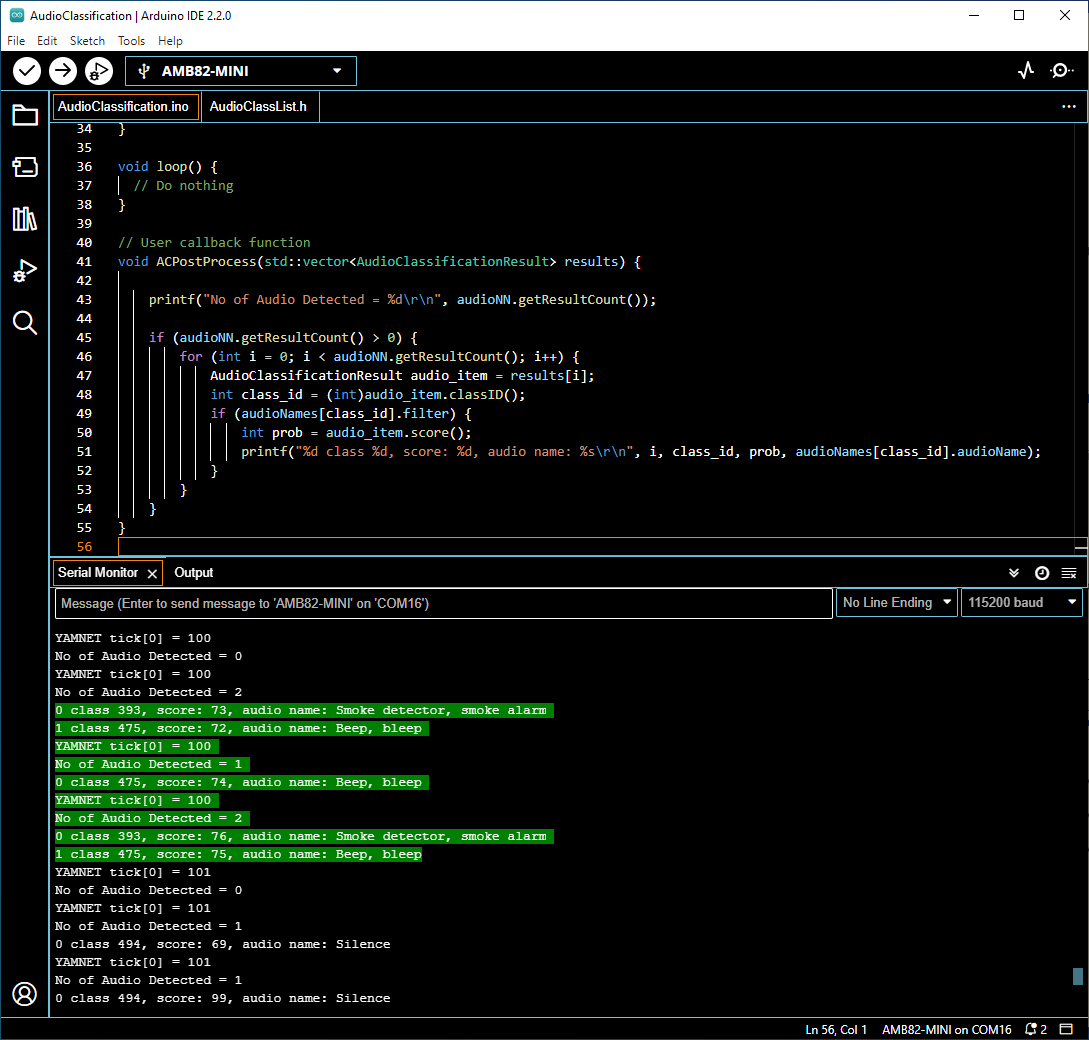
When the on-board microphone picks up audios like alarms, it will be identified, and the results will be shown in the Serial monitor.
The default pretrained model can recognise 521 different types of audios in total. The audio can be found in AudioClassList.h. The index number also known as the class ID for each audio class is fixed and should not be changed. To deactivate the recognition of certain audios, set the filter value to 0. For example, set the filter value to 0 to exclude detecting speech.