Output Sine Wave
Materials
Example
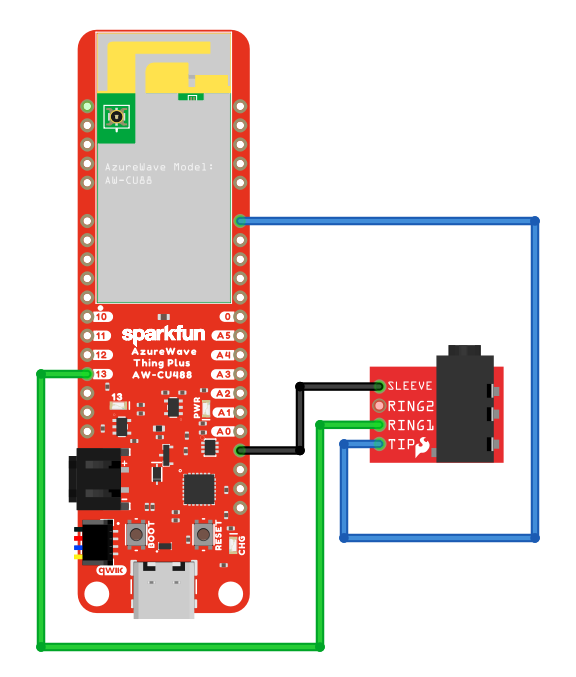
Connect the 3.5mm connector to the Ameba board following the diagram.
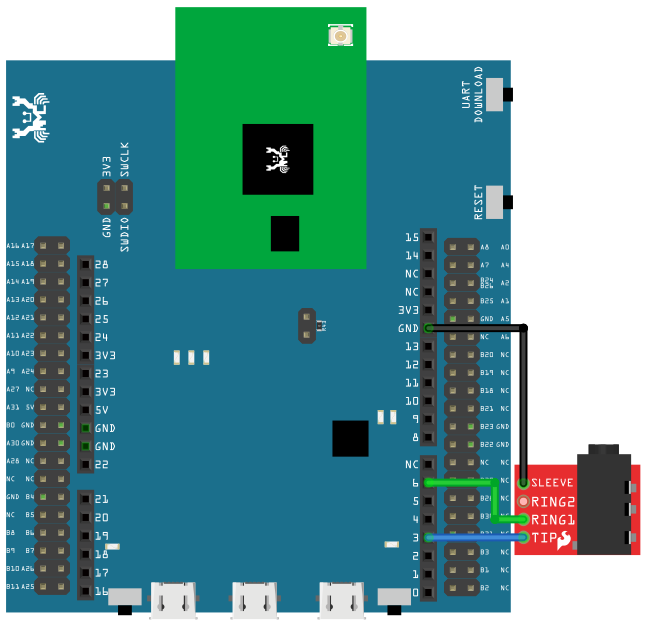
As AMB23 have a built in microphone on the board, there is no need for any external microphone.
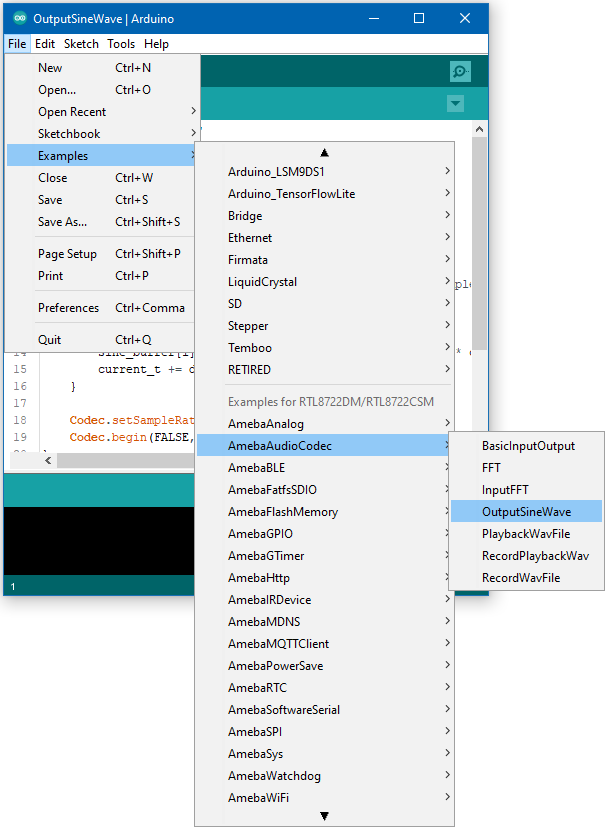
Open the example, Files -> Examples -> AmebaAudioCodec -> OutputSineWave
Upload the code and press the reset button on Ameba once the upload is finished.
Connect a pair of wired headphones to the 3.5mm audio jack and you should hear the generate single sinusoidal tone.