Audio Volume Adjust
Materials
Supported EVB x 1
3.5mm TRS/TRRS breakout x 1 (e.g., Adafruit 2791 / Sparkfun 11570)
Adafruit PDM Microphone Breakout x 1 [Optional]
Potentiometer x 2
Example
In this example, we will use the Ameba board to playback audio recorded by the onboard analogue microphone or an external PDM (Pulse Density Modulation) microphone.
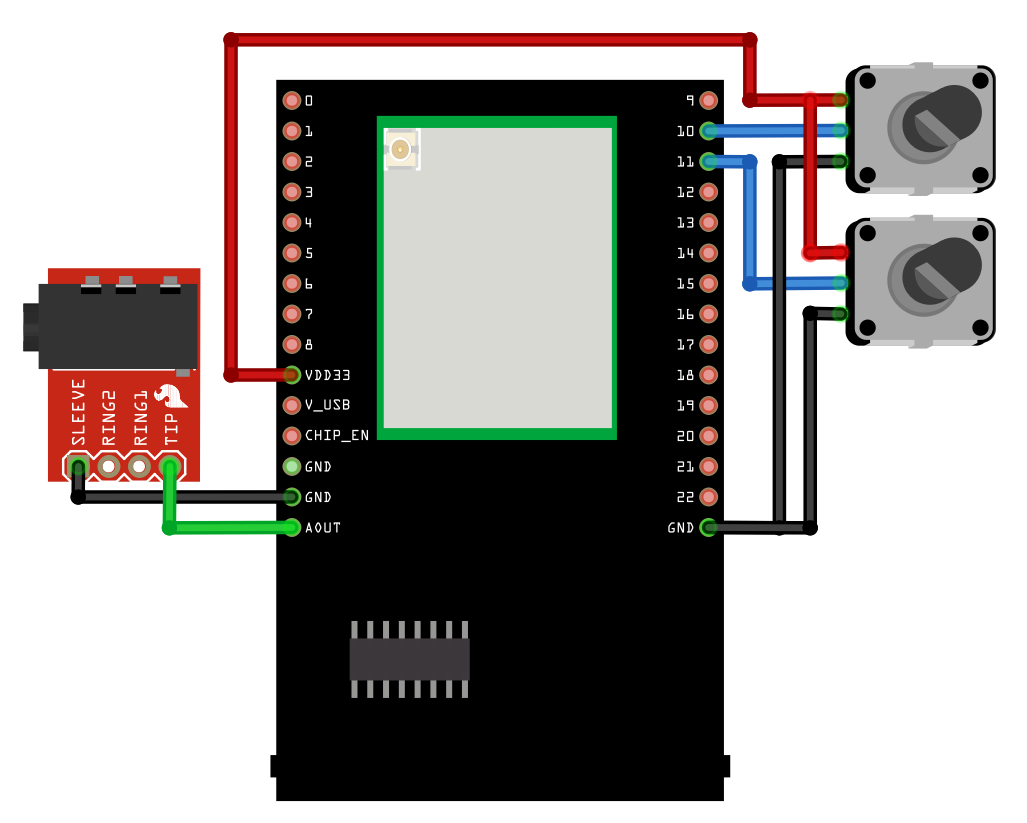
Connect the audio jack and potentiometers to the Ameba board as shown in the diagram.
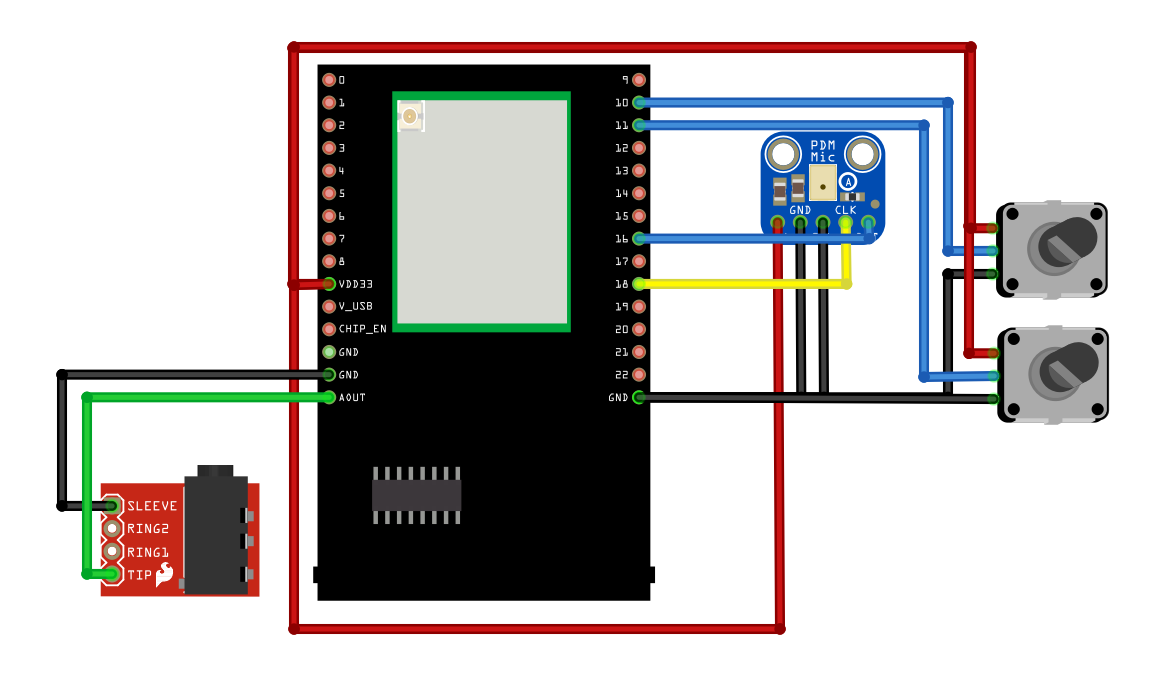
Alternatively, connect the audio jack, potentiometers, and PDM Microphone as shown in the diagram below if you would like to use a digital microphone.
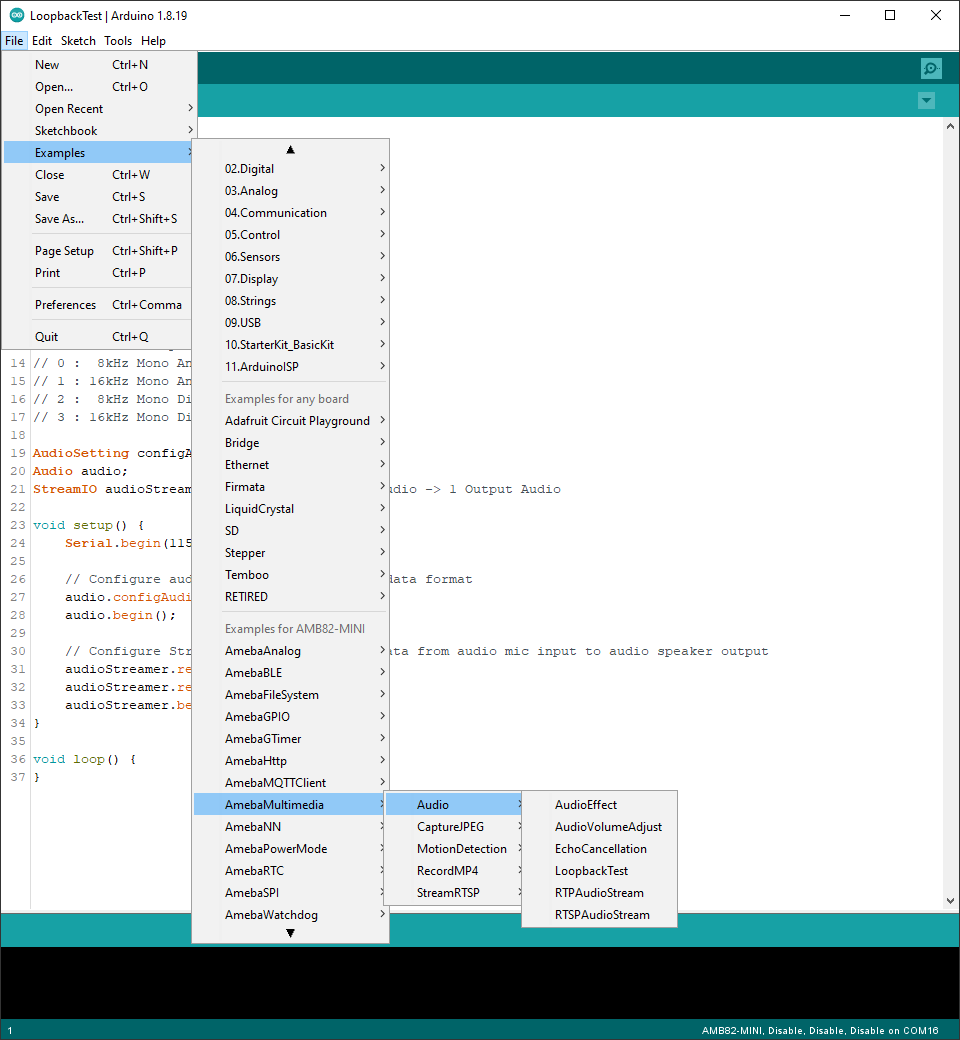
Open one of the Audio examples in File -> Examples -> AmebaMultimedia -> Audio -> AudioVolumeAdjust
Compile the code and upload it to Ameba.
Plug in a pair of wired earbuds into the audio jack. After pressing the Reset button, you should be able to hear sounds picked up by the onboard microphone replayed through the earbuds.
In this AudioVolumeAdjust example, turning the potentiometers will adjust either the input volume of the microphone or the output volume of the audio jack.