Display SD JPG ILI9341 TFT
If you are not familiar with SPI, please read Introduction to SPI first.
Materials
AMB82-mini x 1
ILI9341 TFT LCD with SPI interface x 1
microSD card x 1
Example
QVGA 2.2″ TFT LCD
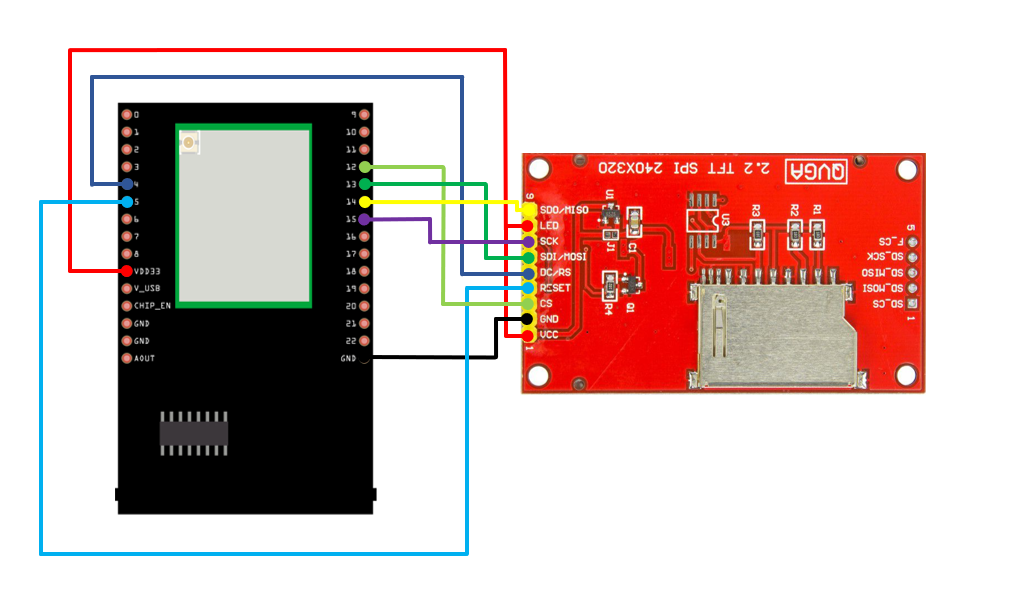
Common pins in ILI9341 TFT LCD with SPI interface:
MOSI: Standard SPI Pin
MISO: Standard SPI Pin
SLK: Standard SPI Pin
CS: Standard SPI Pin
RESET: Used to reboot LCD.
D/C: Data/Command. When it is at LOW, the signal transmitted are commands, otherwise the data transmitted are data.
LED (or BL): Adapt the screen backlight. Can be controlled by PWM or connected to VCC for 100% backlight.
VCC: Connected to 3V or 5V, depends on its spec.
GND: Connected to GND.
AMB82 MINI and QVGA TFT LCD Wiring Diagram:
Open the example, “File” -> “Examples” -> “AmebaSPI” -> “DisplaySDJPG_ILI9341_TFT”

Modify the file name according to the image saved name.
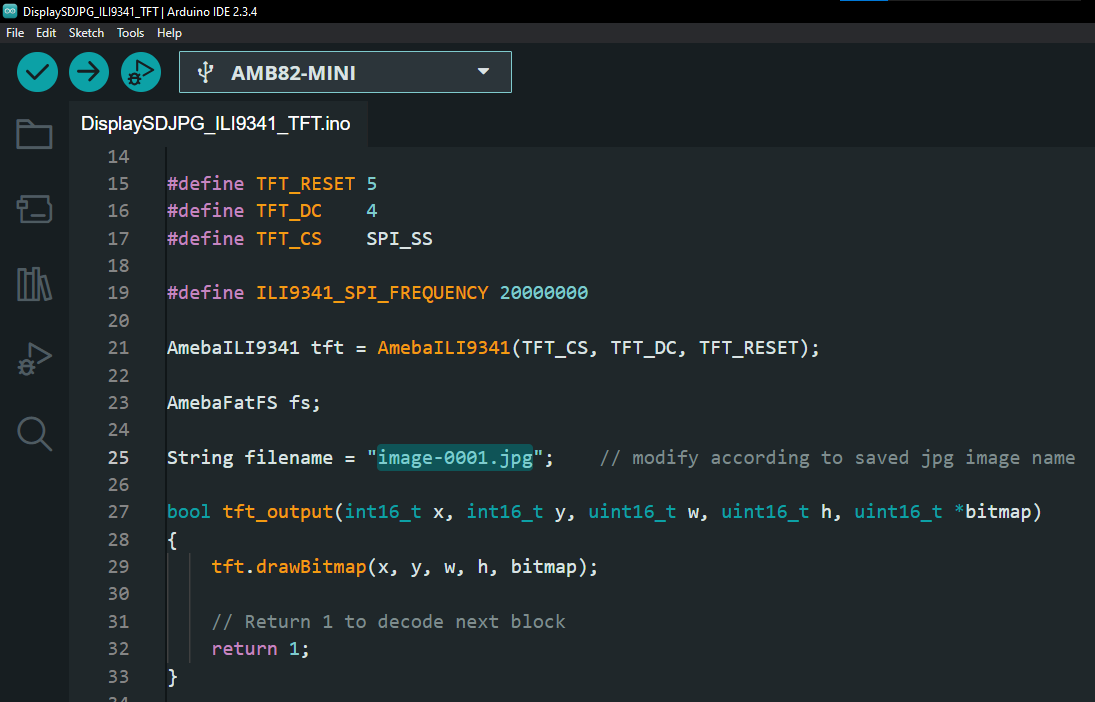
Compile and upload to Ameba, then press the reset button.
Then, you can see the image displayed on the LCD screen.